


Vireel - AI Creative Studio
4.183.00 Reviews
App Specs
- Version
- 2.7.1
- Updated On
- License
- Free
- Downloads
- 100,000+
- Developer
- Healthy Care Club
- Categories
- Entertainment
- Platform
- Android
Screenshots
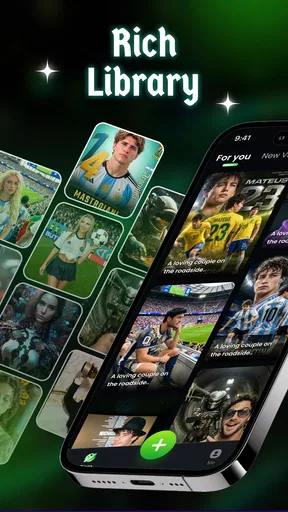
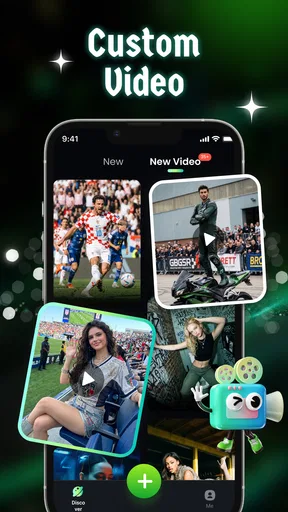
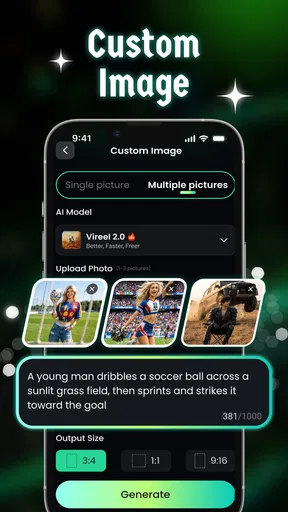
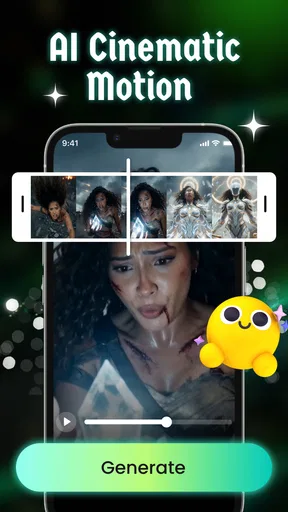
 Analysis by AppCompare
When I need a quick visual for a post or a short video idea, I don’t always want to open a full desktop editor and build everything from scratch. That is the sort of moment when Vireel - AI Creative Studio makes sense: it brings AI-assisted image and video creation to a phone, with a workflow aimed at getting from an idea to a shareable draft without a long setup. I’d treat it as a handy creative shortcut, not a replacement for every editing tool.
Starting with an idea, not a blank canvas
My most practical use for an app like this is turning a rough thought into a first draft: a creator preparing a social post, a small business owner needing a quick visual, or someone making a presentation slide that feels more considered than plain text. Vireel is an entertainment app from Healthy Care Club, and it is free to install, with in-app purchases ranging from $6.99 to $99.99 per item. That makes it easy to try, but I’d still check what a paid option includes before building a regular workflow around it.
The key question before opening any AI creative tool is what you want to leave with. A finished campaign graphic has different needs from a playful image or a short clip for friends. I find it helps to decide the format and audience first, then gather the photo or idea I want to work from. That small bit of preparation makes it easier to judge whether the generated result is actually useful, rather than merely eye-catching.
Vireel is listed for Everyone and has an average rating of 4.1 from around 1,500 ratings, with over 100,000 installs. It was released on November 7, 2025, and version 2.3.0 requires Android 7.0 or later. Those figures give a sense of its reach, but they don’t tell me whether a particular style will suit my project; the best test is still to try a real task I do often.
From first draft to something worth sharing
I’d organize the job around one clear outcome rather than trying to make a single draft do everything: decide where the image or clip will be used, then check that it still works at that final size. That simple handoff from idea to destination is what separates a fun experiment from something I’d actually share. Next, I’d look at the points where the workflow can become less reliable.
A simple workflow that keeps the result purposeful
I’d begin with one clear input rather than several competing ideas. If I were making a post for an event, for example, I’d choose the central image and decide what the viewer should notice first. Then I’d use the app’s AI-assisted creation tools to explore a direction, review the result, and make deliberate adjustments. This is more reliable than asking a tool to solve the concept, layout, and message all at once.
When the first output is close but not quite right, I’d change one thing at a time. Adjusting the visual direction before reworking every detail helps me understand what improved the result. It also prevents a common AI-workflow problem: making repeated edits without knowing which change caused the image or clip to drift away from the original idea.
Worth Reading Before You Choose

EA SPORTS FC Mobile 26 Is a Bigger Football Game, but It Takes Time

Flipboard Shows What News Apps Must Do Beyond the Feed

Switching to Android Auto Means Rethinking Your Driving Routine

Google Calendar Makes a Crowded Week Easier to Manage

Ludo King Makes the Most of the Minutes Between Plans

Baby Panda World Brings Quick Play to Modern Phones, but Its Game Library Feels Busy
Useful handoffs beyond the app
Creation is only one part of the job. A visual usually has to move into a social post, a presentation, or a message to someone else. I’d inspect the final composition at the size where it will actually appear, paying attention to small text, faces, and edges that might be cropped. If another person needs to approve it, I’d share a draft early rather than waiting until I have polished every detail.
That handoff is where a phone-first creative app can be convenient: I can sketch an idea while away from my desk and decide later whether it is ready to publish or needs more precise work elsewhere. For a time-sensitive post, that quick first pass may be enough. For a brand asset that must match exact colors, typography, or layout rules, I would move the draft into a more controlled editor instead of assuming an AI result is production-ready.
Where AI saves time—and where it needs a human eye
AI can help me get past the empty-page stage, but it does not know the context behind every image. I still check whether the result communicates the right tone and whether important details look plausible. A polished appearance is not the same as accuracy, especially when the content represents a real person, product, or event. My advice is to use generated material as a starting point and keep responsibility for the final message.
For everyday use, Vireel is best suited to people who value speed and experimentation more than exact, repeatable control. Someone who posts casually, makes mood boards, or wants a quick visual concept may enjoy trying several directions without learning a complex editor first. If I were preparing detailed professional graphics, managing a large set of branded assets, or making edits that need frame-by-frame precision, I’d choose a specialist design or video editor for the finishing stage.
Getting Started with Vireel
The first thing you notice about Vireel - AI Creative Studio is how user-friendly it is. I mean, you don’t have to be a tech genius to get the hang of it. The download and installation process was smooth, and the interface is intuitive—something I truly appreciate. No one likes spending hours just trying to figure out where everything is, right?
Features That Spark Creativity
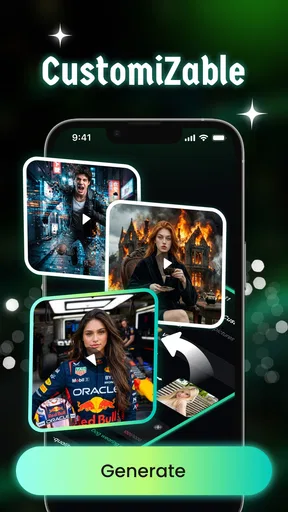
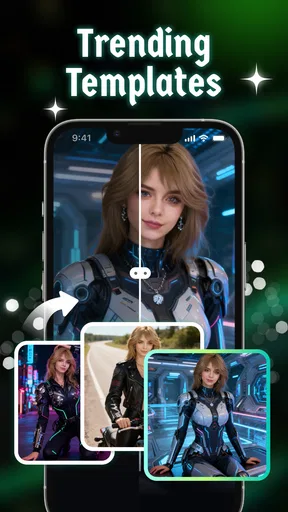
Once you dive in, the features are where Vireel really shines. Imagine having a suite of AI-powered tools that help you create stunning visuals, videos, and graphics. The app offers a wide range of templates and effects that make your creations pop. Whether you’re designing for social media or whipping up a presentation, Vireel has got your back.
One feature I particularly loved is the AI video editor. It’s perfect for those quick edits where you need to add some flair without spending hours in front of your screen. The app also supports layers, which is fantastic for more detailed work. The quality of the output is top-notch, and it doesn’t feel like a compromise.
AI-Powered Magic
Now, let’s talk about the AI integration. It’s like having a personal assistant who knows exactly what you need. The AI suggests edits, effects, and enhancements that could take your work from good to wow! I tested it with some of my photos, and the suggestions were genuinely helpful. Plus, the AI learns from your preferences, making it even better the more you use it.
Customizability and Flexibility
Another aspect worth mentioning is how customizable everything is. You’re not just stuck with templates; you can tweak and adjust every little detail to suit your style. This flexibility is a huge plus for anyone who wants their work to stand out. And let’s be honest, who doesn’t want their work to have that unique touch?
A useful way to make that flexibility work for you is to treat templates as scaffolding, not a final design. I’d keep the strongest part of a template—the general arrangement or visual mood—and alter the details that make the piece feel personal. For a recurring post, saving a consistent approach in your own process can help your output feel cohesive, even when each image starts from a different prompt or source.
There is also a trade-off between quick variation and consistency. AI-assisted tools can be enjoyable when I want options, but repeated generations may not preserve small details exactly. If a project depends on a specific logo, product shape, or recognizable person, I’d inspect each version closely and avoid relying on a lucky first result. For personal or playful content, that unpredictability can be part of the fun; for client-facing work, it can mean extra review time.
Community and Support
Vireel also boasts a vibrant community of creators. The app includes a platform where you can share your work, get feedback, and even gain inspiration from others. It’s like a social network for creatives, and I found it incredibly motivating. Plus, if you ever get stuck, there’s a robust support system ready to help you out.
Sharing work can be useful when I want another perspective, but I’d be selective about what I post. A private draft, an unfinished idea, or an image made for a specific client may not be something I want in a community space. I’d first check the sharing controls and decide whether a public response is genuinely helpful for that project. The strongest use of feedback is often narrow: ask whether the main subject reads clearly or whether the mood matches the intended audience, rather than asking people to approve everything.
For a realistic everyday example, imagine I’m invited to a weekend get-together and want a simple digital invitation. I can start with the event’s central image or mood, explore a visual direction, and then check that the date, location, and any other practical details are legible before sending it around. If the image looks lively but makes the essential information hard to read, I’d simplify or move the text into a separate editor. That small handoff keeps the creative part enjoyable without letting decoration get in the way of the invitation.
How it compares with familiar creative tools
Compared with a traditional photo editor, Vireel’s appeal is the AI-led starting point: it can help someone who has an idea but does not want to assemble every element manually. A conventional editor is usually the safer choice when I need precise retouching, predictable controls, or careful correction of a specific detail. Compared with a template-based design app, the AI approach may offer more room to explore a look, while a template tool can be more predictable when I need a familiar layout quickly. For video, a dedicated editor is still preferable when timing, audio, and detailed clip control matter more than a fast visual treatment.
So I would not ask one app to handle every stage. Vireel can help me get from a blank screen to a promising concept; a specialist tool can take over when the job calls for exact typography, careful trimming, or a fixed brand system. Keeping that distinction in mind is one of the simplest ways to avoid frustration and get value from a creative app without expecting it to behave like desktop production software.
Final Thoughts
In the end, Vireel - AI Creative Studio is an app that delivers on its promises. It’s a powerful tool for creators of all levels, offering ease of use, a plethora of features, and a supportive community. Whether you’re an amateur or a seasoned pro, Vireel is definitely worth checking out. Give it a whirl and see how it can transform your creative projects. You might just find it as indispensable as I do!
My recommendation is more specific: I’d try it if I wanted quick inspiration, a social-ready draft, or a playful way to explore image and video ideas on Android. I would not make it my only tool for tightly controlled commercial work, and I’d check the available in-app purchase options before committing to a paid workflow. For a casual creator who is happy to review and refine the result, the free starting point makes experimentation approachable; for someone who needs precision above all else, a conventional editor remains the better final stop.
Pros
- Intuitive user interface for easy navigation.
- Wide range of creative AI tools available.
- High-quality output with minimal effort.
- Regular updates with new features.
- Fast processing speeds for quick results.
Cons
- Limited free version features.
- Requires internet for full functionality.
- Occasional bugs in new updates.
- Subscription can be pricey.
- Some features need steep learning curve.
FAQs for Vireel - AI Creative Studio
What features does Vireel - AI Creative Studio offer?
Vireel - AI Creative Studio provides a range of features designed to enhance your creativity. It includes AI-powered tools for video editing, image enhancement, and content creation. Users can access templates, special effects, and filters to produce professional-quality media easily. The app also supports collaboration, allowing multiple users to work on projects simultaneously.
Is Vireel compatible with both Android and iOS devices?
Yes, Vireel - AI Creative Studio is available for both Android and iOS platforms. The app is optimized to function smoothly on a wide range of devices, ensuring that users can enjoy a seamless creative experience regardless of their operating system. Make sure to check the app store for compatibility with your specific device model.
Does Vireel require a subscription for full access?
Vireel offers both free and premium subscription options. The free version provides basic features, while the premium subscription unlocks advanced tools, templates, and effects. Users can choose a monthly or annual plan, depending on their needs. Subscriptions also come with a free trial period, allowing users to explore the premium features before committing.
How user-friendly is Vireel for beginners?
Vireel - AI Creative Studio is designed with user-friendliness in mind, making it accessible for beginners. The intuitive interface guides users through the creative process, with tutorials and tips available to help new users get started. Even those with no prior experience in video or image editing will find the app easy to navigate and use.
What kind of support does Vireel offer to its users?
Vireel provides comprehensive support to users through various channels. The app includes an in-app help section with FAQs and troubleshooting tips. Additionally, users can contact customer support via email or live chat for personalized assistance. The Vireel community forum is also available for users to share experiences and solutions.


